Features
Assembly Language Support
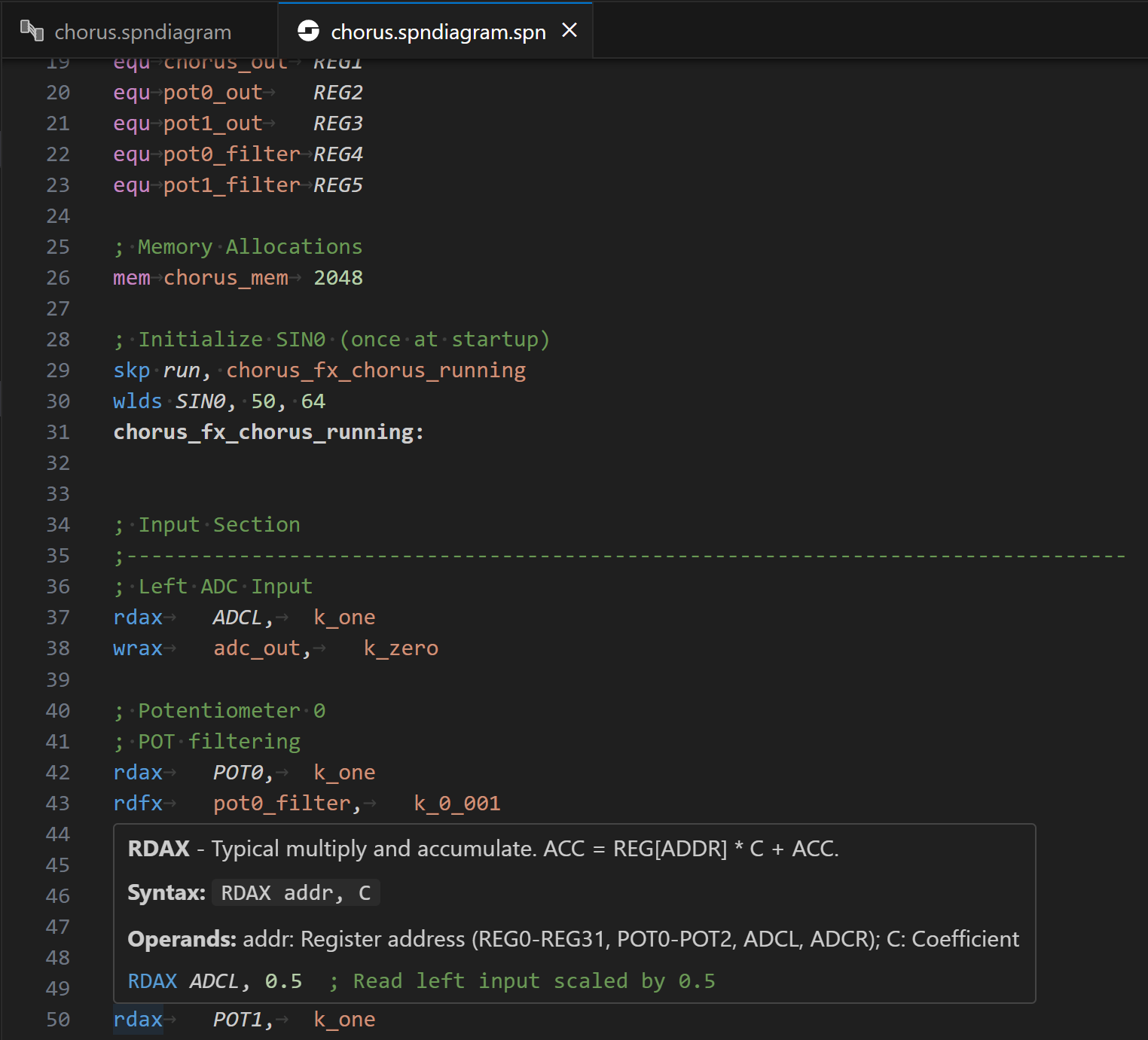
Full support for traditional FV-1 assembly programming:
- 📝 Syntax Highlighting
Complete syntax highlighting for
.spnfiles and the full FV-1 instruction set- ⚠️ Real-time Diagnostics
Errors and warnings appear as you type, with comprehensive error messages
- 💡 Hover Information
Detailed documentation for instructions, registers, and memory locations
- 🔗 Go to Definition
Use
Ctrl+Clickto navigate to user-defined symbols throughout your code- ✓ Built-in Assembler
Compile your assembly directly in VS Code with full error reporting
Visual Block Diagram Editor
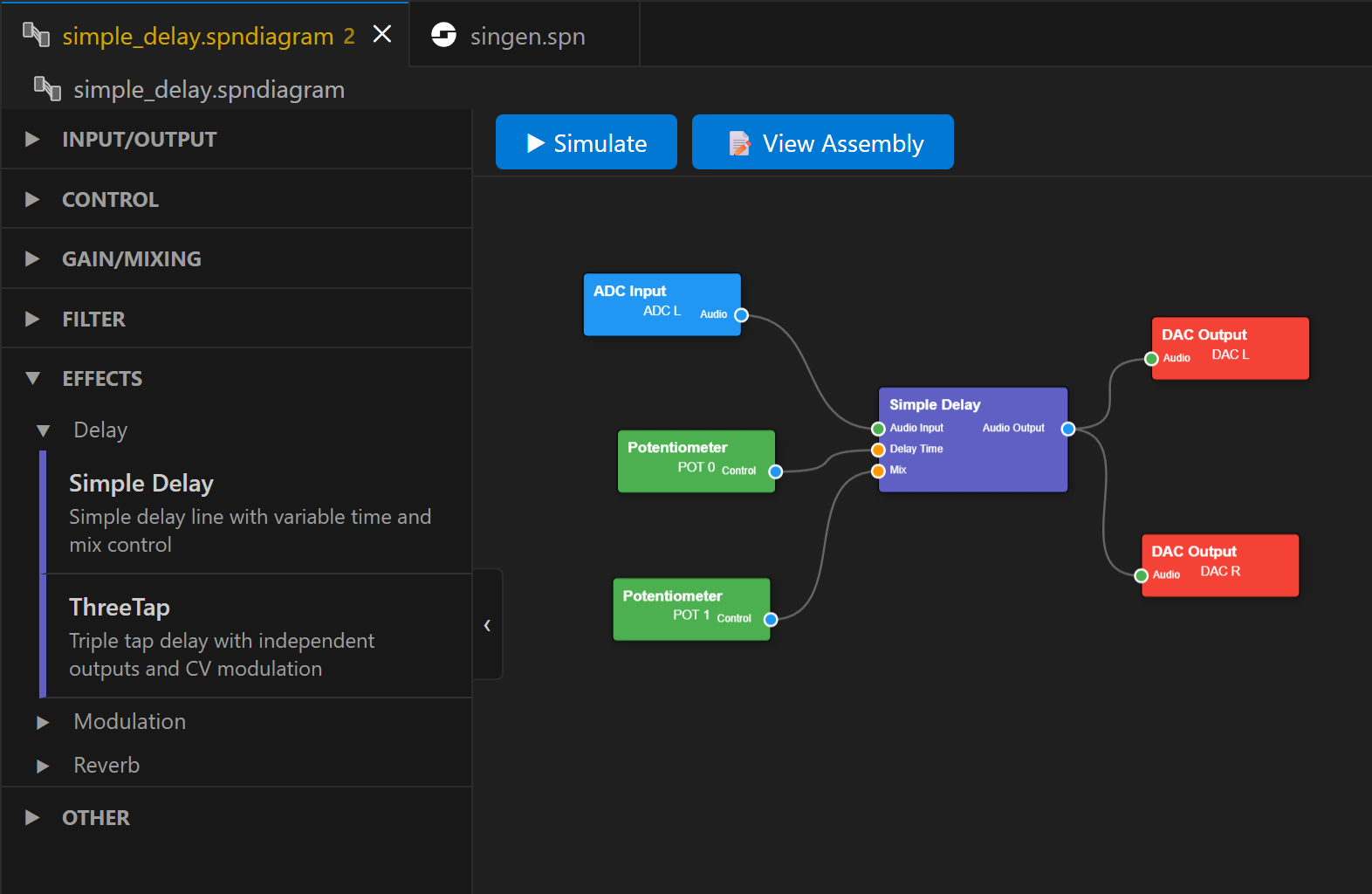
Create FV-1 programs visually without writing assembly code:
- 🎨 Drag-and-Drop Palette
Organized blocks in categories: I/O, Control, Gain/Mixing, Filters, Effects, and more
- ⚡ Real-time Compilation
See compilation results and resource usage instantly as you build
- 🔍 Live Error Checking
Connection validation and resource tracking in real-time
- 📊 Resource Monitor
Visual feedback on instruction count, register usage, and delay memory
- 🧠 Code Optimizer
Automatically optimizes generated assembly to save program space
- 🎯 Direct Programming
Program your diagram directly to a pedal slot with one keystroke
- 📁 Start from a Template
Begin a new diagram from a published effect instead of a blank canvas. Templates are browsed by category and fetched from the Audiofab effects repository, so the list grows without needing an extension update.
Pedal Simulator and Bank Management
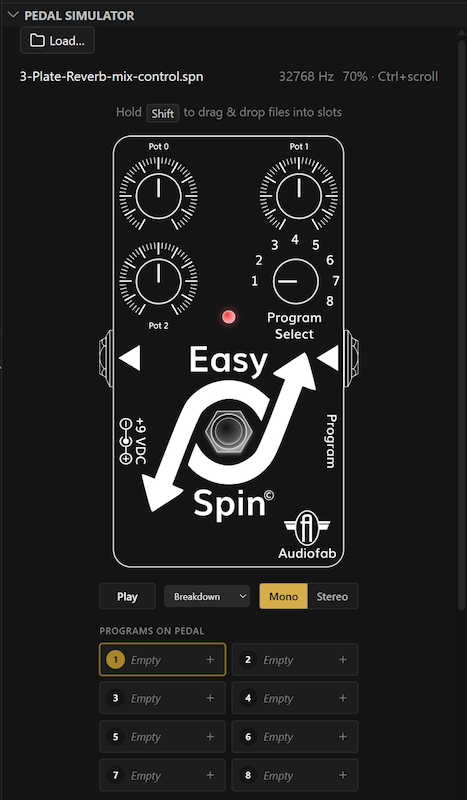
The integrated Pedal Simulator provides a highly interactive, 3D pedal UI for testing your code and managing your Easy Spin pedal’s program bank:
- 🎧 Audio Monitor
Listen to your effect in real-time with built-in or custom stimulus files.
- 🎚️ Interactive Controls
Real-time control of your pedal’s knobs and bypass switch via a highly user-friendly interface.
- 📂 Visual Bank Editor
Manage all 8 program slots with an intuitive drag-and-drop interface.
- 🎯 Drag-and-Drop Assignment
Drag
.spnor.spndiagramfiles directly into bank slots.- 🔄 Mix and Match
Combine assembly and block diagram programs in a single bank.
- ⚙️ Batch Programming
Program individual slots or the entire bank at once to your Easy Spin hardware.
- 📥 Read from Pedal
Pull the programs already on your pedal back into a bank. Each one is disassembled to a
.spnfile you can edit and re-program; empty slots are left unassigned.- 🏷️ Live Pot Labels
The knob labels on the pedal graphic name what each pot actually controls in a block diagram, and update as you re-wire it. This works for a
.spndiagramon its own as well as for a bank slot, and follows the signal through Smoothers and other control shaping blocks — so a pot feeding a delay through a smoother reads Delay Time, not the name of the smoother’s input. A bank’s own control names, if it has them, win.- 💾 Export to HEX
Save your bank as Intel HEX for archival or use with other programmers. Unassigned slots are left out of the file, so flashing it won’t disturb those slots on the pedal.
Low-Level Debugging
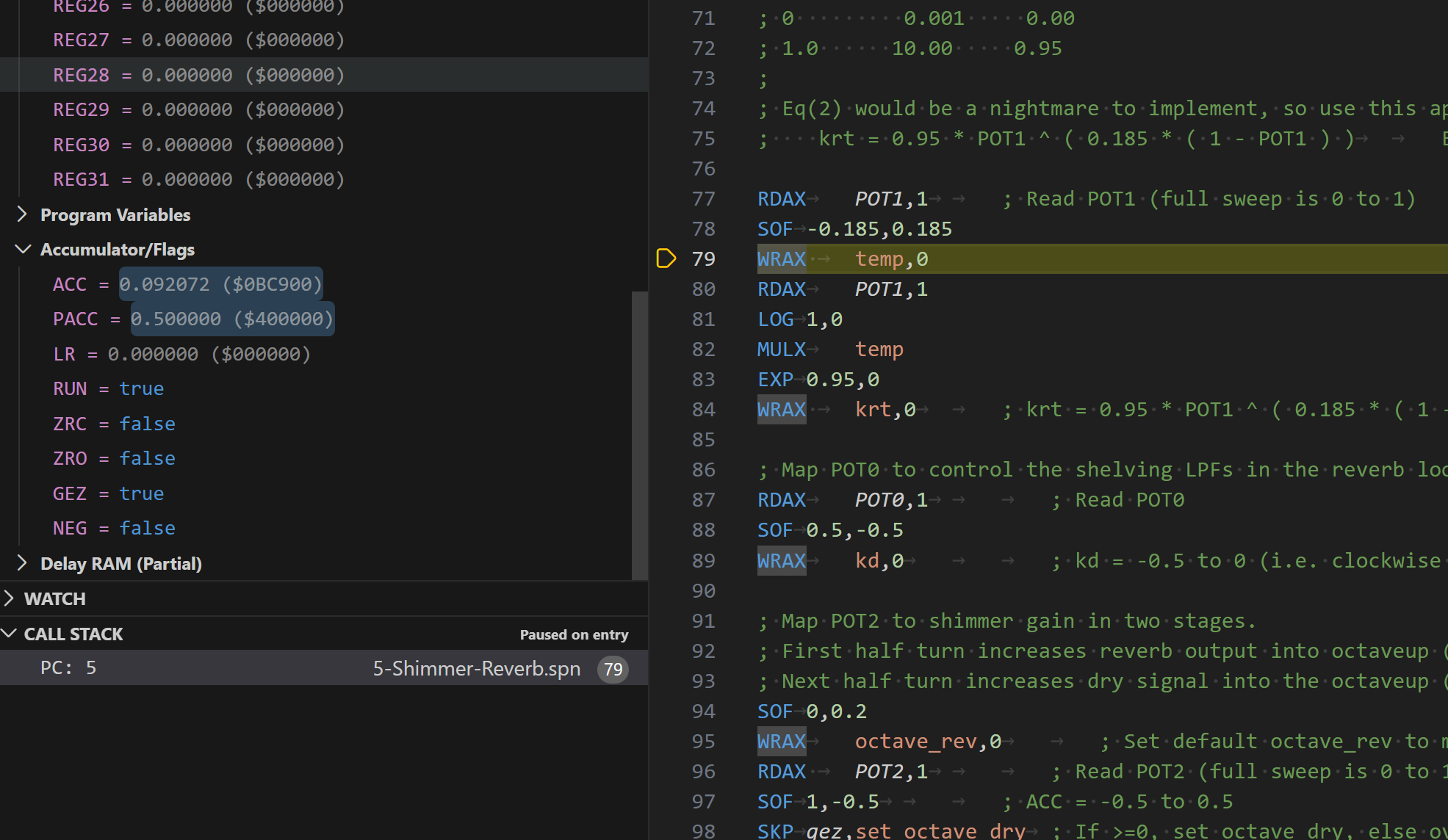
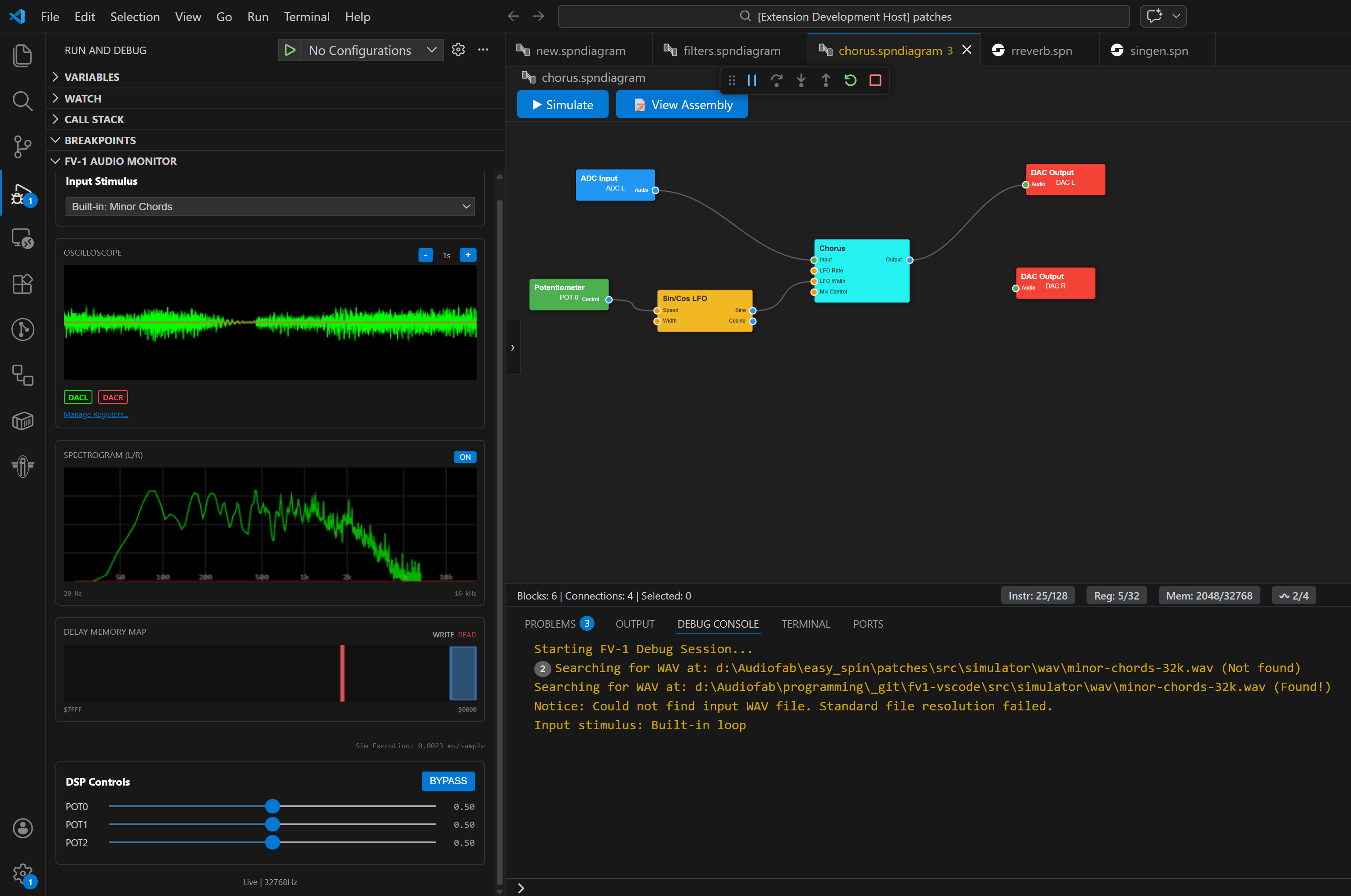
For advanced troubleshooting, the low-level Debugger provides full access to internal state:
- 📈 Multi-trace Oscilloscope
Visualize any register or symbol with logarithmic zoom (1ms to 1s).
- 💾 Delay Memory Map
Visual representation of delay RAM usage and pointer movement.
- 🔴 Live Debugging
Set breakpoints, step through instructions, and inspect variables live.
Quick Actions Sidebar
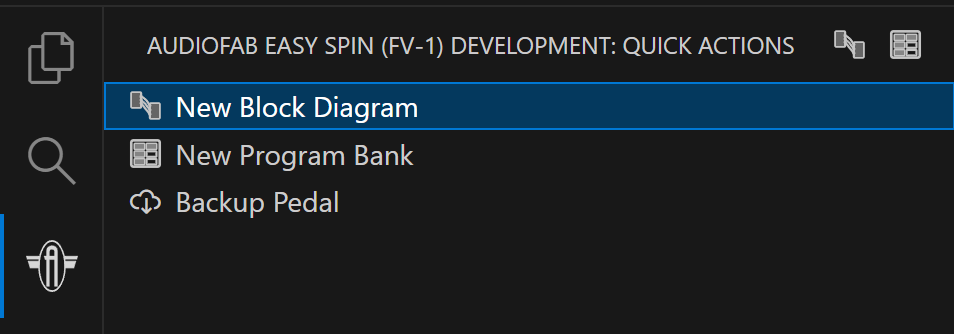
Convenient access to common tasks:
✨ Create new block diagram ✨ Backup entire pedal to HEX
(Banks are created in the Pedal Simulator — drop a file onto a slot, or use the
+ button on an empty one.)
Hardware Programming
Direct integration with the Audiofab USB Programmer:
🔌 Program to any slot (1-8) on your Easy Spin pedal
✓ Automatic verification of written data
💾 Backup entire pedal to Intel HEX format
📂 Load HEX files to EEPROM
💾 Export banks to HEX for use with other tools or archival
Code Optimization Levels
The block diagram compiler features a configurable three-level optimization system to balance code size and complexity:
- Level 0 (None)
All blocks remain isolated with no cross-block optimizations applied.
- Level 1 (Standard)
Accumulator Forwarding: Eliminates redundant
wrax/rdaxpairs between blocksRegister Pruning: Removes unused register assignments
- Level 2 (Aggressive) - Default
Includes all Level 1 optimizations plus: - Dead Store Elimination: Removes
wraxinstructions whose registers are never read - Section Flattening: Collapses Input/Main/Output sections into optimized topological order - Inline Comments: Block comments are inlined for visibility in flattened execution mode- All Levels (always applied):
Disconnected Output Pruning: Output ports with no downstream connection never allocate a register, saving register space at the source
Register Renumbering: After all passes complete, surviving register declarations are compacted sequentially from
REG0upward, eliminating gaps
Note
Register and memory limits are enforced after optimization, not before. The compiler can temporarily exceed hardware limits during code generation and still succeed if the optimizer brings totals back within bounds. The register count (32) and delay memory size (32,768 words) are fixed by the FV-1 instruction encoding; only program size is configurable, via fv1.hardware.progSize.
Note
Optimization levels are required to be functionally identical — level 1 and level 2 must produce the same audio as level 0, only with fewer instructions. This is enforced automatically across every block and parameter setting, so a higher level can never change how a patch sounds.
Configure optimization level in VS Code settings under fv1.optimizationLevel to experiment with different tradeoffs between code size and readability.
Supported Blocks
The extension includes a comprehensive library of effects and utilities:
- Inputs/Outputs
Hardware ADC and DAC routing
- Control
Potentiometers, Constants, Envelope Follower, Smoother, Scale/Offset, Power curve shaping, Invert, Ramp / Sin-Cos / Entropy LFOs, Tremolizer
- Gain/Mixing
2:1, 3:1, 4:1 and Stereo 2:1 Mixers, three Crossfade laws, Volume, Gain Boost
- Filter
1-pole Low/High-Pass, 2-pole State Variable (SVF), Shelving Low/High-Pass, Auto-Wah, BBD Bucket Loss
- Effects - Delay
Simple Delay, Three-Tap Delay, Eight-Tap Delay, MN3011 Multitap BBD Delay
- Effects - Modulation
Chorus, 4-Voice Chorus, Flanger, Phaser, Harmonic Tremolo, Organ Synth, Guitar Synth
- Effects - Pitch
Pitch Shift, Octave Up & Down, Sub-Octave Synth, Pitch Offset and Dual Pitch Offset (Hilbert)
- Effects - Reverb
Plate, Spring, Room, Simple, Shimmer and Ducking reverbs, Spectral Smear, plus the raw building blocks: Allpass (cascaded diffusers) and Chirp (dispersive all-pass chain for spring-style ‘sproing’)
- Effects - Lo-Fi
The Bit-Mangler, Chip Tune, Tape Degrader, Micro-Stutter
- Other
Fixed and Adjustable Sine Tone Generators
Note
Many blocks are ported from the excellent SpinCAD Designer.